Email Security

I recently worked with a lady that was locked out of her gmail account. Unfortunately this is a fairly common issue, especially for older folks. Another person had her Gmail account taken over by a hacker who used it to send out emails requesting "help" for a family member. How does this happen, you ask? It's a pretty simple answer. In the first case she simply had not set up her account's security settings in case she forgot her password. She also did not have any two factor authentication in place that would have prevented a hacker from taking over her account. Have you ever looked at your account's security settings? It's not something that many people do. Do you use two factor authentication? Let's talk about email security.

Why Is Your Email Account So Important?

Our email address is used so often for things other than just email. Internet services will require you to register with an email account. Do you use Facebook, Instagram, or Slack, etc for communicating with family and friends? How about Amazon.com or other online shopping sites? There are informational websites or forums that also require you to create an account.

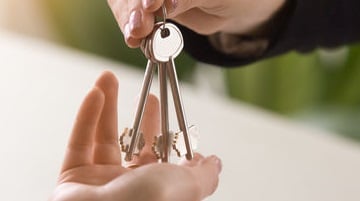
Think of Your Email Account As a Key

In our world today, your email account is just like a KEY that you use to access all the various internet services out there. You probably already know what it would be like to lose a set of car or house keys. Your email "key" is just as important to safeguard!

Your login to a website is your username (email address) and a password. As long as you remember the password associated with each of the websites you access, you should be fine. But what happens if you can’t remember that website password?

"Oops - Can't Remember My Password"

Luckily, most all websites have the otion of “Password Resets”. You click the small “Forgot Password” link typically below the password field. A dialog box opens up requesting your email address, which you enter. Depending on the website, there are typically several options available to you.

▸ The most common option is to have the website provider send you an email with a password reset link.

▸ Have the website provider send you a reset text link via phone.

▸ Answer the security questions that you previously provided on website registration.

You use one of the methods above to successfully reset your password. But what happens if you can’t use the above options. Let’s say that you no longer have access to your email account, your main “key” to the site?

If you have lost access to your email account, you will need to go through your account recovery process. When you set up your email account, like Gmail, Outlook, Yahoo, or others, you are typically asked to provide recovery information, like an alternate email address or a cell phone number. There may even be security questions required of you to provide.

Hopefully you have good account recovery information stored with your email provider. If you do not, like listing an old cell phone number, or a deleted alternate email account, then you are really out of luck in recovering your email account. All of your contacts still sending you emails that you can’t access!

Hopefully your security settings are current. It's not uncommon for folks to have no security information stored with their email provider. Google has become better at periodic email reminders for us to review our security settings. Maybe we had entered correct information in the past. However, for a variety of different reasons, our phone number or email address changed since then so those items in our account’s security settings are no longer current. Or, perhaps we didn't write down those challenge security questions and answers. What do you do now?

There is not really anything you can do to retrieve your email account unfortunately. The internet based email providers rely on you to keep your security settings up to date. There is no customer service to call and try a recovery process. Can you seee the importance of securing your email account, just like keeping track of your home and car keys?

Without access to your email account, you may also start losing access to other website when you can not remember your password to those sites. Password resets involving using your email address will become impossible. However, if the website allows you to change your email address, then now is a great time to do so. Not all sites allow you to do so.

If you are using a local internet provider that also provides you with email service, you have a much better chance of recovering your account because you can go their office in person, show them your identification and have them reset your password to your account. There is one disadvantage of using a local internet provider's email services. Should you ever move or change from a local internet provider, the email address you may have been using for a long time will no longer be available to use.
How Do I Protect My Email Account?

Create a STRONG password that is unique and NOT used for ANY other website accounts. This will help prevent the hackers from gaining access to your account.

Use, if possible, what is called Two Factor Authentication. You set this up in your security settings. How this works is when you use a browser to access your internet email account, the account recognizes a correct username and password, but then will send you either an email or a text message to your phone with typically 6 random digits that you will additionally enter into the browser login process. This process then validates that you are indeed the account owner.

BE SURE YOUR ACCOUNT SETTINGS ARE ALWAYS UP TO DATE! Make it a habit of checking these settings every few months and certainly after you change your phone number, or an email address. Be sure to store your "challenge questions and answers" in a safe place.

If you follow good security measures with your email account, you should have no future problems.

I Have My Email Account Protected, Now What?

Use an alias email account for junk sites that require a login but that you would not care if you "lost access" to it. An “alias” is nothing more than a fake email address that is tied to your primary account. For example, I have an email alias that ends with “[email protected]”, mjma meaning “my junk mail account”. I can’t send from that alias account, but any alias email coming into my primary account can be filtered into a junk mail folder. Any account recovery is still possible with this alias account. You are NOT limited to just one email alias. Apple Mail has a "Hide My Email" feature that allows you to create a new email address for each site you subscribe to.

Many websites will sell your contact information to companies (data brokerages) that harvest that recorded information to sell it again. Yes, even companies like Toyota will do so, UNLESS you “opt-out” of them doing so. Your contact and other information may be found in many hundreds of these brokerage sites, being bought, sold, and distributed many times over.

To help keep my internet footprint to a minimum, I personally use a paid service to routinely monitor what sites have my contact and other stored information, and then request on my behalf to have that information removed from their database. You can help to keep your personal email address out of the hands of marketers and hackers by keeping your internet "footprint" small.

How to Create Outlook Alias Accounts How to Create Gmail Alias Accounts
Missionary Communications Board

© 2026 Stephen A Meyers, All Rights Reserved.

FamilyDiscoveries Menu